Start without styles
--css=none: the same components, writing plain HTML without
classes, and an app.css that holds only a comment. For your own CSS,
or a CSS framework anetos doesn’t cover.

Before you start
A project made with anetos new blog --css=none, or switched to it
with go tool anetos css:use none.
Steps
1. Know what it writes
The components write elements only: <header>, <nav>, <main>,
<section> for a card, <label> and <input> for a field,
<table>. The browser’s default styles show them:
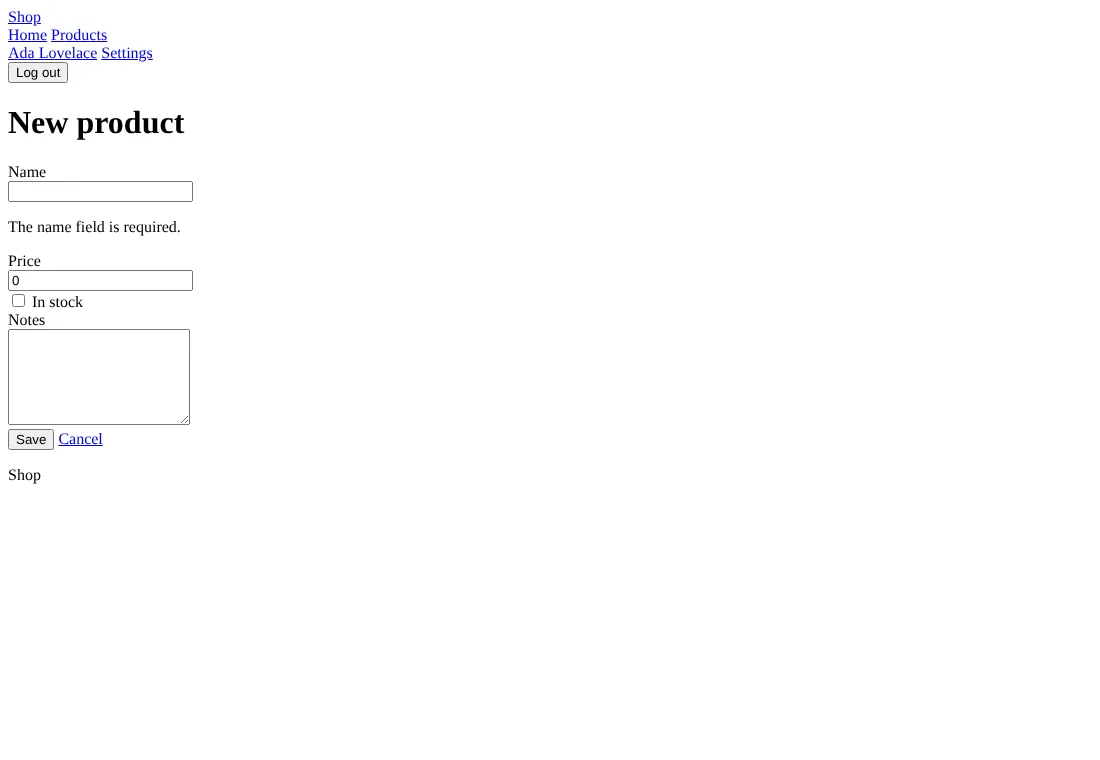
A few things change nothing without styles: a button’s look, a
message’s or a badge’s tone, the table’s scrolling box. The UI
components reference lists how its
components differ from the others’. There is no classes.go.
2. Style the elements
Write your rules for the elements in public/static/app.css; every
page calls the same components, so the elements are the same
everywhere:
/* illustrative */
body { font-family: system-ui, sans-serif; max-width: 60rem; margin: 0 auto; padding: 1rem; }
header nav a { margin-right: 1rem; }
table { border-collapse: collapse; width: 100%; }
td, th { border-bottom: 1px solid #ddd; padding: .5rem; text-align: left; }
input, select, textarea { display: block; width: 100%; margin-bottom: 1rem; }
[aria-invalid="true"] { border-color: #c00; }
3. Or give the components your classes
For a framework of your own choice, edit the components in views/ui
to write its classes, put its stylesheet in public/static/, and link
it from ui.Head in views/ui/shell.templ. Keep the components’ names
and arguments: the pages of make:crud and make:auth call them.
Common problems
| Symptom | Cause | Fix |
|---|---|---|
| Buttons all look alike, badges have no color | none has no styles: variants, sizes and tones write nothing | Style them by element, or switch to a CSS framework that has them |